

Chrono Edit: Transform Images with Physics-Aware AI
Experience revolutionary Chrono Edit technology - physics-aware AI image editing that maintains realistic lighting, shadows, and geometry through temporal reasoning. Transform photos with unprecedented consistency and natural results.


Loved by 10,000+ creators
Tip: State what to change AND what to preserve for best results
Upload Source Image
Max 10MB, JPG/PNG
Chrono Edit uses temporal reasoning to maintain realistic lighting, shadows, and geometry in your edited images.
Example Chrono Edit Results

Explore More AI Tools
Explore our comprehensive suite of AI-powered creative tools designed to enhance your workflow.
Veo 3.1 Video
Google Veo 3.1 with native audio and realistic physics for cinematic video generation.
Seedance 1.5 Pro
ByteDance Seedance 1.5 Pro with joint audio-video generation for professional results.

Nano Banana Pro Image Generator
Advanced text-based image editing with enhanced AI capabilities and professional-grade results.

Seedream 4.5 Image Generator
Ultra-fast professional image generation in under 1 second with 4K resolution support.

Qwen Image 2512
20B MMDiT model with best-in-class bilingual text rendering for stunning AI images.

GPT Image 2
OpenAI's newest image model. 13 aspect ratios, up to 4 reference photos, batches of 1-4.

Z-Image Generator
Ultra-fast image generation with Z-Image AI in under 1 second.

AI Music Generator
Generate music with AI, customize styles, and produce royalty-free tracks instantly.
Why Choose Chrono Edit
Chrono Edit uses temporal reasoning to imagine the physical journey between your original and edited images. Unlike traditional editors, Chrono Edit understands how objects naturally move, interact, and transform in the real world.
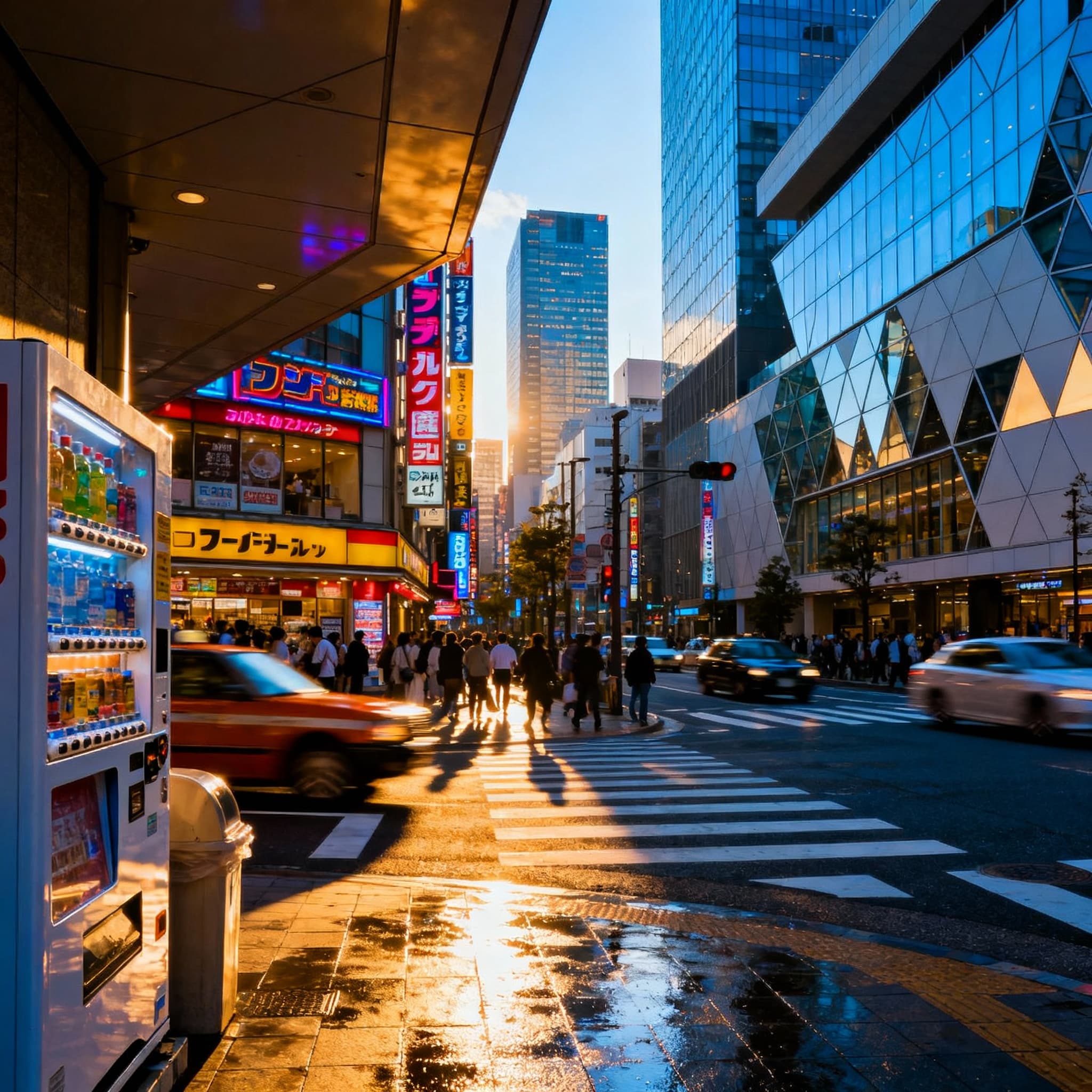
Physics-Aware Consistency
Chrono Edit maintains realistic geometry, lighting, shadows, and physical contacts throughout the editing process. Essential for professional photography, product visualization, and AI training data.
Temporal Reasoning Technology
Chrono Edit imagines intermediate frames between your input and desired output, ensuring physically plausible transformations. This unique approach sets Chrono Edit apart from conventional AI editors.
Realistic Lighting & Shadows
Chrono Edit preserves illumination direction and shadow flow while maintaining camera perspective and proportions. Your edits look natural and believable, not artificially manipulated.

Natural Language Control
Guide Chrono Edit transformations using simple, natural language prompts. Describe what to change AND what to preserve for optimal results.
How to Use Chrono Edit
Transform your images with physics-aware AI in three simple steps
Upload Your Source Image
Select a clean, well-lit photograph for best results. Chrono Edit supports JPG and PNG formats up to 10MB. Higher quality inputs produce higher fidelity outputs.
Write Concrete Prompts
Describe the specific change you want while explicitly stating what should be preserved. Example: 'change the red car to blue; keep same lighting and angle'
Adjust Settings (Optional)
Set a seed for reproducible results, choose output format (JPEG/PNG), and toggle private mode if needed. Chrono Edit handles the physics automatically.
Review and Download
Chrono Edit processes your request with temporal reasoning to ensure physically consistent results. Download your professionally edited image when ready.
Advanced Chrono Edit Capabilities
Explore professional features powered by NVIDIA research
Geometry Maintenance
Chrono Edit understands spatial relationships between objects. Geometry remains proportionally correct and poses stay physically viable throughout transformations.
Shadow & Reflection Consistency
Maintain accurate shadow directions, reflections, and lighting interactions. Chrono Edit ensures all physics follow natural laws for believable results.
Material Transformation
Change object materials while preserving realistic light interaction. Chrono Edit understands how different surfaces reflect and absorb light.
Reproducible Results
Use seed control for deterministic output. Same prompt, image, and seed produce identical results - perfect for iterative workflows and automated processing.
Professional Output
Choose JPEG for compact distribution or PNG for lossless editing. Chrono Edit delivers studio-quality results suitable for commercial use.
Fast Processing
Chrono Edit efficiently processes edits while maintaining quality. Advanced temporal reasoning delivers professional results without lengthy waits.
What Creators Say About Chrono Edit
Trusted by professionals for physics-aware image editing
David Martinez
“Chrono Edit revolutionized our product photography workflow. The physics-aware editing maintains realistic lighting and shadows automatically. It's like having a professional retoucher who understands physics.”
Lisa Wang
“For autonomous vehicle training data, Chrono Edit is indispensable. The temporal reasoning ensures our synthetic data maintains physical plausibility, critical for training robust perception systems.”
James Cooper
“The consistency Chrono Edit brings to our creative projects is remarkable. Natural language prompts make it accessible to our team, while the physics-aware results look professionally retouched every time.”
Chrono Edit FAQ
Find answers about Chrono Edit physics-aware image editing
What makes Chrono Edit different from traditional image editors?
Chrono Edit uses temporal reasoning to imagine the physical process of transformation between your original and target images. This ensures edits maintain realistic lighting, shadows, geometry, and physical interactions - elements traditional pixel-based editors cannot guarantee automatically.
How does Chrono Edit maintain physical consistency?
Chrono Edit treats editing as a video generation problem, imagining intermediate frames between your input and desired output. By leveraging models trained on real-world physics and object interactions, Chrono Edit ensures transformations follow natural physical laws.
Can I use Chrono Edit for commercial projects?
Yes! Chrono Edit technology is available for commercial use. The models have been released for business applications, making it accessible for professional photography, marketing, product visualization, and AI training data generation.
What input quality does Chrono Edit require?
Chrono Edit performs best with clean, well-lit source images. While the system handles various input qualities, sharper and less compressed source photos provide superior fidelity in final edits. For detailed areas, cropping tighter to the region of interest produces crisper results.
How do I write effective Chrono Edit prompts?
Effective Chrono Edit prompts are explicit about both the desired change and what should be preserved. State edits as physical changes ('swap', 'add', 'remove', 'change material') and specify conservation requirements ('keep camera angle', 'maintain morning sunlight', 'preserve the person's pose').
How much does Chrono Edit cost?
Each Chrono Edit transformation costs $0.02 or 2 credits. This transparent, per-use pricing enables precise budget forecasting for projects of any size, from individual creators to enterprise applications.
What file formats does Chrono Edit support?
Chrono Edit accepts JPG and PNG input images up to 10MB. Output is available in JPEG or PNG format. JPEG provides smaller file sizes for web distribution, while PNG offers lossless quality for professional workflows.
Is Chrono Edit suitable for autonomous vehicle or robotics applications?
Absolutely! Chrono Edit excels at generating physically consistent training data for autonomous vehicles and robotics. The technology's ability to maintain realistic physics makes it invaluable for AI systems that must understand real-world object interactions.