

Wan 2.2 Animate
Transform your videos with Wan 2.2 Animate AI technology. Swap faces in videos with Wan Animate Mix or transfer motion from video to image with Wan Animate Move. Professional wan animate and wan replace tools powered by Alibaba's advanced AI for content creators, marketers, and video editors.


Loved by 10,000+ creators
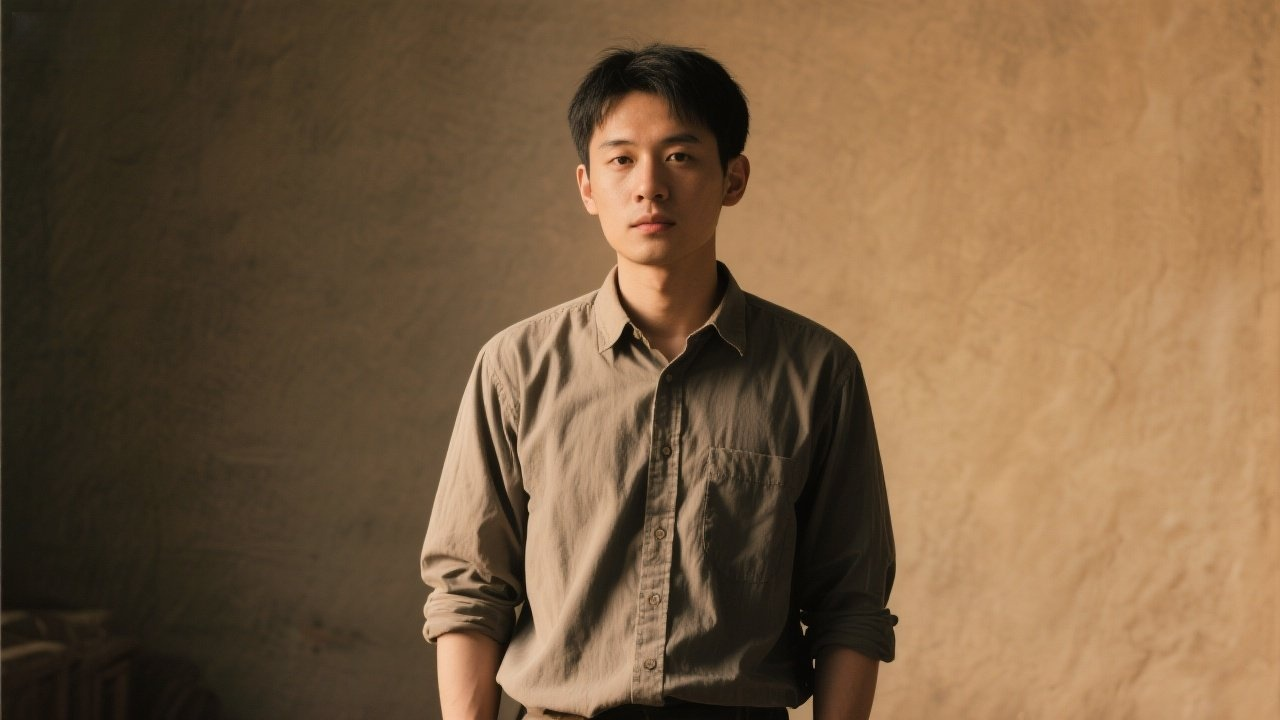
Animate a static image using motion from the reference video. Perfect for bringing photos to life with realistic movements.
per 5s video
Example 1 - Output
Wan 2.2 Animate Tips
Get the best results with Alibaba's video AI
Animate Move
Transfer motion from video to static images while preserving character identity.
Animate Replace
Replace characters in videos with your uploaded image seamlessly.
Multiple Resolutions
Choose from 480p, 580p, or 720p based on your quality needs.
Best Results
Use clear, well-lit images with visible faces for optimal output.
Animation Examples
See what Wan 2.2 Animate can do
Expression Sync
Accurate facial expression synchronization
Creative Animation
Transform ideas into dynamic video content
Motion Capture
Professional body motion transfer
Why Choose Wan 2.2 Animate AI
Wan 2.2 Animate is Alibaba's cutting-edge AI video transformation tool featuring two powerful modes: Animate Mix for face swapping in videos and Animate Move for motion transfer. Whether you need to replace faces in videos or animate static images with video motion, Wan Animate delivers professional results with Standard and Pro quality options.
Expression Synchronization
Wan 2.2 Animate accurately synchronizes facial expressions between source and target content. Whether face swapping or motion transfer, expressions are naturally mapped for realistic and believable animated results.
Creative Video Animation
Transform your creative ideas into dynamic videos with Wan 2.2 Animate. The AI handles complex motion patterns and character animations for social media content, marketing videos, and entertainment purposes.
Professional Motion Capture
Wan 2.2 Animate captures and transfers complex body movements, gestures, and poses from reference videos. The motion technology preserves timing and fluidity for natural-looking character animations.
How to Use Wan 2.2 Animate
Master Wan 2.2 Animate in minutes with our simple guide. Learn how to use Wan Animate Mix for face swapping and Wan Animate Move for motion transfer to create stunning video transformations.
Step 1: Choose Your Mode
Select between Face Swap (Wan Animate Mix) to replace faces in videos, or Motion Transfer (Wan Animate Move) to animate static images with video motion. Each mode is optimized for specific wan animate transformations.
Step 2: Upload Your Image
Upload a clear face image for face swap or a character image for motion transfer. Wan 2.2 Animate works best with well-lit images where faces and features are clearly visible for accurate wan replace results.
Step 3: Add Reference Video URL
Provide a video URL as the reference. For Face Swap, this video's face will be replaced. For Motion Transfer, this video's movements will be applied to your image. Wan Animate supports various video formats.
Step 4: Generate and Download
Select Standard or Pro quality and click Generate. Wan 2.2 Animate will process your transformation and deliver a high-quality video ready for download and use in your projects.
Wan 2.2 Animate Advanced Features
Discover why Wan 2.2 Animate is the best AI video transformation tool. From seamless face swapping to realistic motion transfer, explore the cutting-edge wan animate features that make video transformation professional and accessible.
Seamless Face Swap Technology
Wan 2.2 Animate Mix uses advanced AI to seamlessly swap faces while preserving original video quality, lighting, and natural movements. The wan replace technology ensures realistic face integration without visible artifacts or boundaries.
Realistic Motion Capture
Wan 2.2 Animate Move captures and transfers complex body movements, facial expressions, and gestures from videos to static images. The wan animate motion technology preserves timing and fluidity for natural-looking animations.
Identity Preservation
Both Wan Animate Mix and Wan Animate Move preserve the core identity of your subjects. Face swap maintains facial structure while Motion Transfer keeps character appearance consistent throughout the animation.
Standard and Pro Quality Modes
Choose between Standard mode for quick processing and Pro mode for enhanced detail and smoother transitions. Wan 2.2 Animate's flexible quality options cater to different project requirements and budgets.
Expression Synchronization
Wan 2.2 Animate accurately synchronizes facial expressions between source and target content. Whether face swapping or motion transfer, expressions are naturally mapped for realistic and believable results.
High-Quality Video Output
Wan 2.2 Animate produces high-resolution video outputs suitable for professional use. The wan animate technology maintains video quality throughout the transformation process for broadcast and commercial applications.
Wan 2.2 Animate FAQ
Find answers to frequently asked questions about Wan 2.2 Animate. Learn about face swap, motion transfer, and tips for achieving the best results with wan animate technology.
What is Wan 2.2 Animate and what can it do?
Wan 2.2 Animate is an AI-powered video transformation tool from Alibaba offering two main features: Animate Mix (face swap) replaces faces in videos, and Animate Move (motion transfer) animates static images with video motion. Both use advanced wan animate technology for professional results.
What's the difference between Wan Animate Mix and Animate Move?
Wan Animate Mix (Face Swap) replaces a face in a video with a face from your uploaded image. Wan Animate Move (Motion Transfer) takes movements and expressions from a video and applies them to your static image. Both are powerful wan replace and wan animate tools for different use cases.
What kind of images work best for Wan 2.2 Animate?
For best results with Wan 2.2 Animate, use clear, well-lit images with visible faces and features. Front-facing or slight angle images work best for face swap. For motion transfer, full body or upper body images help capture movement accurately.
What's the difference between Standard and Pro modes?
Standard mode in Wan 2.2 Animate provides faster processing for quick previews and drafts (5 credits). Pro mode delivers enhanced detail, smoother transitions, and higher quality output suitable for professional production (10 credits).
How long does Wan 2.2 Animate take to process?
Processing time varies based on video length and selected quality mode. Standard mode typically completes in 1-3 minutes, while Pro mode may take 3-5 minutes. Wan Animate optimizes processing for quality results.
Can I use Wan 2.2 Animate for commercial projects?
Yes, videos created with Wan 2.2 Animate can be used for commercial purposes. You retain rights to your generated content, making wan animate ideal for marketing, advertising, entertainment, and professional video production.
What video formats does Wan Animate support?
Wan 2.2 Animate accepts video URLs in common formats including MP4 and MOV. The reference video should be of reasonable quality with clear faces (for face swap) or movements (for motion transfer) for best wan animate results.
How accurate is the face swap in Wan Animate Mix?
Wan Animate Mix uses advanced AI to achieve highly accurate face swaps while preserving lighting, shadows, and natural movements from the original video. The wan replace technology minimizes artifacts and creates seamless face integration.
Does Wan Animate Move preserve my character's identity?
Yes, Wan 2.2 Animate Move is designed to preserve the core identity and appearance of your uploaded image while applying motion from the reference video. Your character remains recognizable throughout the animation.
What credits are required for Wan 2.2 Animate?
Wan 2.2 Animate costs 5 credits per generation in Standard mode and 10 credits per generation in Pro mode. Both Face Swap and Motion Transfer use the same credit structure based on quality selection.